New Features, Progress Learning
Proctor Mode: Assessment Integrity and Live Monitoring for Every Classroom Activity
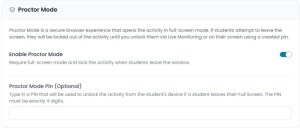
Reliable assessment data starts with a secure testing environment. As schools prepare for the 2026-27 school year, Progress Learning is introducing Proctor Mode, a new feature designed to help protect the integrity of assessments and activities across K-12 classrooms.
Proctor Mode delivers the secure testing experience educators expect from a lockdown browser while reducing technical complexity and providing greater flexibility. Built directly into the Progress Learning platform, it works in standard web browsers without requiring software downloads, browser extensions, or complex IT configuration.
By reducing opportunities for off-task behavior during assessments, Proctor Mode helps ensure benchmark scores and progress monitoring data more accurately reflect student learning. Paired with our redesigned Live Monitoring dashboard, it gives teachers and administrators greater visibility into the testing process while simplifying test administration.
The Challenge of Maintaining Assessment Integrity
Assessment data is only as reliable as the environment in which it is collected. When students open additional browser tabs, search for answers online, or navigate away from an assessment, benchmark results may no longer provide an accurate picture of student understanding. This makes it more difficult for curriculum leaders, administrators, and teachers to evaluate student growth and make informed instructional decisions.
Traditionally, schools have relied on separate lockdown browser software to help maintain assessment integrity. While effective, that approach often introduces additional challenges for educators and technology teams:
- Heavy IT Lift: Deploying and maintaining external software across Chromebooks, iPads, and laptops can place significant demands on district technology teams.
- Lost Instructional Time: Software updates, password prompts, and technical issues can interrupt testing and reduce valuable instructional time.
- Rigid Configurations: District-wide lockdown policies may not provide the flexibility teachers need when moving between everyday practice and formal assessments.
How Proctor Mode Works
Proctor Mode provides built-in security on an assignment-by-assignment basis, giving educators flexibility without creating additional work for IT teams.
- Zero IT Setup: Works natively in standard web browsers on virtually any device without installing software or managing device policies.
- Automatic Full-Screen Lock: When Proctor Mode is enabled, students automatically enter full-screen mode. If a student attempts to exit full screen, open another browser tab, or switch applications, the session locks immediately.
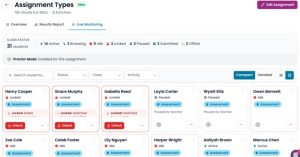
- Smart Auto-Sorting: Locked student sessions automatically move to the top of the Live Monitoring dashboard, allowing teachers to quickly identify and assist students who need attention.
- Flexible Unlocks: Teachers can unlock a student’s assessment remotely with a single click from Live Monitoring or use an optional on-screen Proctor PIN for in-person validation.
Real-Time Oversight with the Redesigned Live Monitoring Dashboard
To complement Proctor Mode, we’ve completely redesigned the Live Monitoring dashboard to provide teachers, instructional coaches, and administrators with greater visibility during active testing sessions and activities.
- Live Status Tracking: View real-time student statuses, including active, idle, locked, browsing, and offline, in customizable list or tile views that update automatically without refreshing the page.
- Direct Session Control: Pause, resume, save and exit, or submit student assessments directly from the dashboard.
- Collaborative Access: Grant monitoring-only access to co-teachers, testing coordinators, and campus administrators without allowing changes to assignment settings.
How Is Proctor Mode Different from a Lockdown Browser?
Traditional lockdown browsers rely on separate software, browser extensions, and ongoing IT management. Proctor Mode delivers many of the same security benefits while remaining built directly into the Progress Learning platform.
- Built-In Security Without IT Overhead: No district-wide installations or software updates are required because Proctor Mode is built directly into Progress Learning.
- Flexible, Immediate Unlocks: Teachers remain in control by unlocking sessions with a single click in Live Monitoring or with an optional four-digit Proctor PIN.
- Deeper Insight: Traditional lockdown browsers simply block browser activity. Proctor Mode works alongside Live Monitoring to provide real-time visibility into student pacing, activity, and testing status.
- Assignment-Level Control: Enable Proctor Mode only when it’s needed, giving teachers flexibility for different instructional situations.
- Beyond Formal Assessments: Unlike many lockdown browsers designed exclusively for testing, Proctor Mode can also be used to support secure classroom assignments and daily practice.
Additional Platform Upgrades for Fall 2026
In addition to Proctor Mode and the redesigned Live Monitoring dashboard, the Fall 2026 release includes several enhancements designed to improve the day-to-day experience for teachers and administrators.
- Modernized User Interface: A cleaner, more intuitive navigation experience featuring a persistent left-side menu and dedicated class detail pages that reduce clicks while preserving existing workflows.
- Assignment Scheduling Time Windows: Set specific start and end times for assignments and activities to align with standardized testing windows.
- Subgroup Data Reporting: Demographic subgroup data synced through Clever or ClassLink now appears directly in Progress and Results reports, making it easier to monitor achievement trends.
- Expanded Text-to-Speech Settings: Enable or disable Text-to-Speech (TTS) independently for reading passages and shared stimuli without affecting TTS settings for assessment questions.
Safeguarding Data Integrity for the School Year Ahead
Accurate progress monitoring starts with reliable assessment data. By providing a secure testing environment built directly into the Progress Learning platform, Proctor Mode helps districts protect assessment integrity while giving teachers greater visibility and control throughout the testing experience.
Whether you’re preparing for benchmark assessments, monitoring student growth, or creating more consistent testing practices across campuses, Proctor Mode and the redesigned Live Monitoring dashboard provide a secure, flexible testing experience without the administrative burden of traditional lockdown browser solutions.